MaxiPDF PDF editor & builder3.5.8
Publisher Description
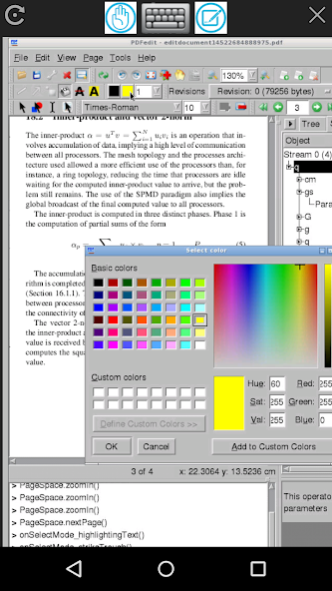
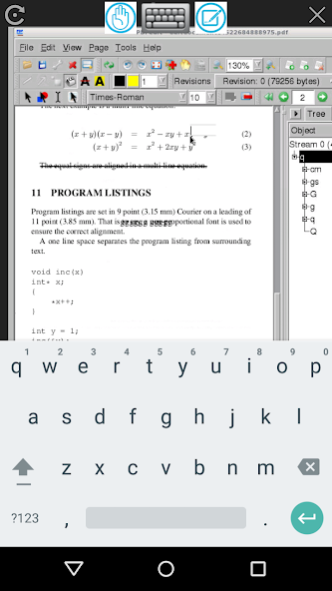
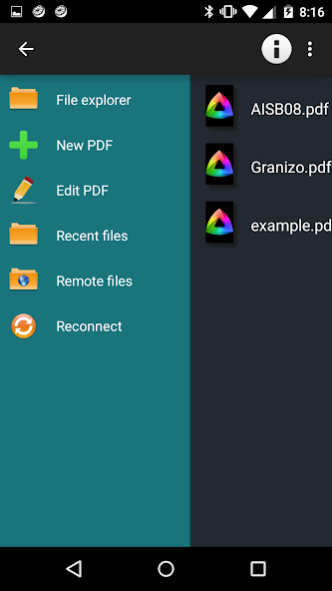
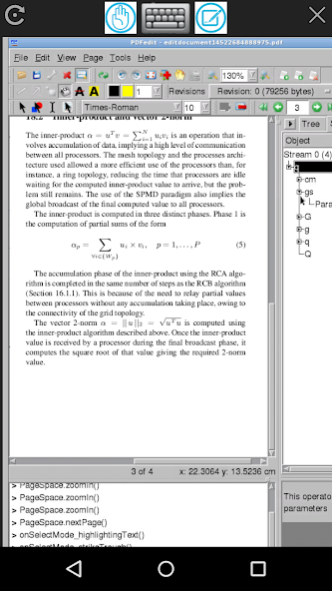
This app is the best one to work with PDF files. It allows you to create, edit, view and annotate PDF files. Its main features are:
- Creation; to create any PDF file from a basic template.
- Edit; to create/modify/delete text, images and vector drawing objects like curves, lines, paths.
- View; to navigate/open the PDF files. The navigation options include pages, outlines or objects.
- Annotate; to create/add and save comments directly inside the file.
- Compatibility with any PDF file.
- Free software.
This app is an adaptation for Android of PDFedit, which is a free open source system and a library for manipulating documents, released under terms of GNU GPL version 2. A guide about how to use this app can be found at http://pdfedit.cz/en/user_doc.html
This app is PDFedit that is run remotely. It requires the Internet.
About MaxiPDF PDF editor & builder
The company that develops MaxiPDF PDF editor & builder is DMobileAndroid. The latest version released by its developer is 3.5.8.
To install MaxiPDF PDF editor & builder on your Android device, just click the green Continue To App button above to start the installation process. The app is listed on our website since 2022-09-14 and was downloaded 16 times. We have already checked if the download link is safe, however for your own protection we recommend that you scan the downloaded app with your antivirus. Your antivirus may detect the MaxiPDF PDF editor & builder as malware as malware if the download link to org.dandroidmobile.maxipdf is broken.
How to install MaxiPDF PDF editor & builder on your Android device:
- Click on the Continue To App button on our website. This will redirect you to Google Play.
- Once the MaxiPDF PDF editor & builder is shown in the Google Play listing of your Android device, you can start its download and installation. Tap on the Install button located below the search bar and to the right of the app icon.
- A pop-up window with the permissions required by MaxiPDF PDF editor & builder will be shown. Click on Accept to continue the process.
- MaxiPDF PDF editor & builder will be downloaded onto your device, displaying a progress. Once the download completes, the installation will start and you'll get a notification after the installation is finished.
Program Details
System requirements
Download information
Pricing
Version History
version 3.5.8
posted on 2022-09-14
version 3.5.6
posted on 2021-03-20
Bugs fixed
version 2.1.4
posted on 2016-08-05
New features:,- Local editor to add annotations, delete annotations, highlight texts and underline texts over any PDF file.,- Local editor to create PDF files with texts. It provides text underlined, different font sizes, undo, bold, colors, text layout.,- Convert text to PDF.,- Still provides all the functionalities of Linux PDFEditor remotely from our Servers.
